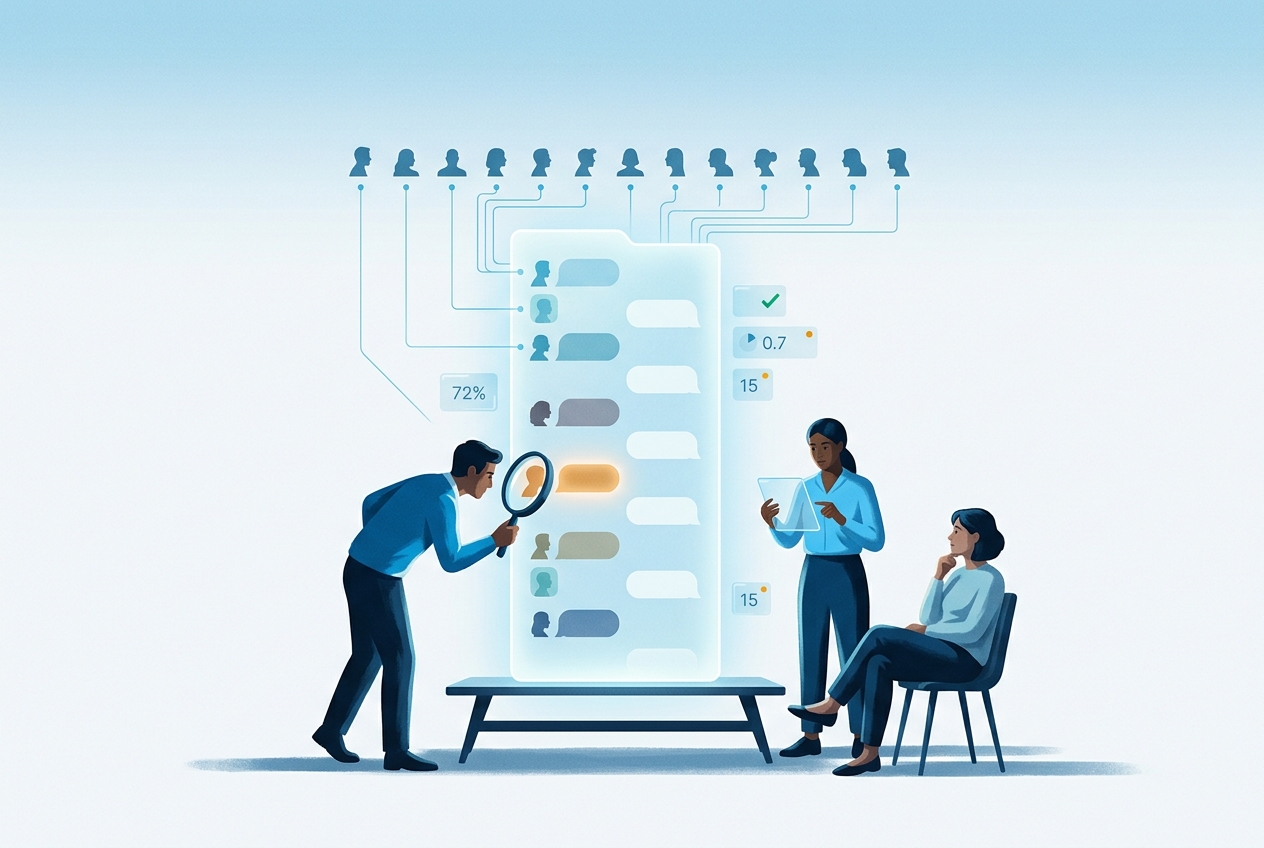
Most chatbot testing is done by the people who built the chatbot. They know the product, they phrase requests the way the system prompt expects, they supply the order number before it is asked for, and they wait patiently through a clarifying question. The transcript looks fine, the release goes out, and the first week of production traffic brings a user who writes four lines of backstory before the question, a user who types "refund. now." and nothing else, and a user whose English is good enough to be understood but not good enough to match the intent classifier. None of those people were in the test set, because none of them were in the room.
This is the problem the article is about. A conversational AI system is judged on how it handles the user side of the dialogue, and the user side is the part you control least and test least. Persona-driven simulation is the fix we use at EvaliQA. Instead of one tester playing one kind of user, a simulated user plays a defined character, an Impatient user, a Confused user, a Non-native speaker, against your chatbot for a whole conversation, and an LLM judge scores the outcome. The catalogue has 15 of these personas. The point of the exercise is not to find out whether the chatbot works. It is to find out for whom it does not.
We will cover what the simulation does mechanically, who the 15 personas are and what each one tends to break, how to pick a subset for your product, how to keep the dataset from exploding, which metrics read a whole conversation, how to read a run persona by persona, and what this method does not catch. The worked example throughout is a support chatbot for an online shop, with the scenario "refund a damaged order", because almost every reader has one of these and the failures are easy to recognise.
What persona-driven simulation is
In a multi-turn evaluation, a row in the dataset is a conversation, not a question. The row carries a scenario (the user's underlying intent, such as refunding a damaged order), a persona, any initial state the AI system needs at turn 1, an expected outcome, and a maximum number of turns. In the Simulation strategy, the generator turns each row into a scenario seed, something like "impatient user, wants to refund a damaged item that arrived yesterday, order number is 12345". At run time an AI user plays that seed against your system, one message per turn. It reads the whole conversation so far, including your chatbot's replies, so it answers a clarifying question and follows up the way the persona would, and it ends the conversation when it has what it came for or when the turn limit is reached.
The persona is the part of the seed that governs how the user talks rather than what they want. It steers tone, vocabulary, patience and behaviour. An Impatient user and a Polite / formal user can share the identical scenario and produce two very different conversations, one of them three terse turns that end in escalation, the other six courteous turns that end in a resolved refund. Your chatbot sees a coherent character across the turns, which matters, because a user who is confused on turn 1 and crisp on turn 3 is not a test of anything. The personas are deliberately narrow profiles. They are not fan fiction about a customer's life, and they do not change the intent of the scenario.
Two properties make this usable for engineering rather than theatre. First, the simulated user runs at temperature 0 and has no tactics of its own to pursue, so the same seed against the same chatbot produces very nearly the same conversation on every run. If your chatbot answers differently, the user reacts differently, which is exactly the behaviour you want from a regression test. Second, the conversation is scored at the end as a whole, by metrics that read the full transcript instead of one input and one output. A chatbot can give a perfectly reasonable answer on every individual turn and still fail the conversation, because it forgot the order number from turn 1 or needed 7 turns for a 3-turn job.
There are two sibling strategies worth knowing about so you do not reach for the wrong one. Scripted replays a user side written in advance, turn by turn, with no model call at run time, which makes it the cheapest option and the right one for replaying a specific production incident verbatim, but the scripted user cannot react if the chatbot asks "which order?" on turn 1. Adaptive runs the user side on the Platform AI agent, which tracks the plan's goals and changes tactics when the chatbot stalls, which is the most realistic and the most expensive, and transcripts vary more between runs. Personas apply to Simulation and Adaptive. For the rest of this article we assume Simulation, because that is where persona comparisons stay stable enough to act on. The full comparison is in the multi-turn evaluation docs.
The fifteen personas
The catalogue is fixed, and that is a feature. A shared vocabulary of user types means a failure on "Non-native speaker" means the same thing in a report this quarter and next quarter, and across two different products in the same workspace. Below is each persona as the generator plays it, and the class of failure it most often surfaces in our experience. The second column is what the simulated user does. The third is what to look for in the transcript when that persona's pass rate drops.
Persona | How the simulated user behaves | What it tends to surface |
|---|---|---|
Default | An ordinary user with no special traits | Your baseline pass rate, the number every other persona is compared against |
Expert | A domain professional who uses jargon confidently and expects the AI system to keep up | Over-explaining, refusing to use the user's terminology, condescension |
Novice | A first-time user who does not know the product and asks obvious questions | Assumed knowledge, unexplained terms, skipped steps |
Impatient | Short messages, easily frustrated, escalates if the AI system stalls | Too many clarifying questions, slow path to resolution, abandonment |
Verbose | Long detailed messages that bury the actual question in context | Answering the wrong part of the message, missing the request |
Confused | Mixes up terms and contradicts themselves across turns | Hallucinated context, carrying a wrong fact forward |
Non-native speaker | Grammar mistakes, unusual phrasing, occasional mixed languages | Brittle intent recognition, misread requests |
Aggressive | Rude, demanding, confrontational | Mirroring the user's tone, breaking character |
Polite / formal | Very courteous, formal register | Register mismatch, over-casual replies to B2B or older users |
Child | Young user, simple vocabulary, short attention span | Vocabulary too advanced, replies too long, safety gaps |
Elderly | Older user, less tech-savvy, slower pacing | Unexplained interface references, rushed instructions |
Manipulative | Actively tries to trick the AI system into breaking rules | Social engineering and policy bypass, read as a security signal |
Distracted | Jumps between topics mid-conversation | Stale context, answering the previous topic |
Detail-oriented | Asks follow-up questions and double-checks everything | Inconsistency under scrutiny, contradictions between turns |
Sarcastic | Ironic, dry humour | Taking a joke literally, tone mishandling |
Notice that the personas split into roughly three groups. Some vary who the user is (Expert, Novice, Child, Elderly, Non-native speaker). Some vary how the user behaves in the moment (Impatient, Verbose, Aggressive, Polite / formal, Sarcastic, Detail-oriented). Two are about the structure of the conversation itself, Confused and Distracted, and these are the ones that most directly test memory, because they make the transcript internally inconsistent and ask whether the chatbot notices. Manipulative is the odd one out. It overlaps with red teaming, and a failure on a Manipulative row should be read as a security finding rather than a correctness bug. If you want a proper adversarial pass, use a multi-turn red teaming plan, which has attack strategies this persona does not.
In the refund example, the differences are concrete. The Default user says "I received a damaged item yesterday, order 12345, I want a refund" and the chatbot has everything it needs. The Verbose user opens with a paragraph about the delivery driver, the weather and a previous order from March before mentioning the damage, and a chatbot that keys on the first sentence will start troubleshooting the delivery. The Non-native speaker writes "the package come broken, i want money back for order", and an intent classifier trained on tidy phrasing may route that to "where is my order". The Impatient user writes "broken. refund." and, if the chatbot responds with three clarifying questions, replies "forget it, I'll call" by turn 3. Same scenario, same chatbot, four different outcomes.
Which personas to pick
Do not run all 15 on the first pass. The persona list is a menu, not a checklist, and the choice should follow what you are trying to learn about this product. For a consumer support or chat product, start with Default to establish the baseline, then add Novice and Non-native speaker, because those are the two user groups product teams under-test most and where regressions do the most damage, and add Impatient to see whether the chatbot survives terse, incomplete inputs without derailing. That is four personas, and it already covers the most common production complaints about support bots.
For a professional or enterprise tool the mix shifts. Expert becomes the primary persona because your real users are specialists who will be irritated by a chatbot that explains their own field to them. Polite / formal is the tone check for B2B correspondence, and Detail-oriented checks whether the chatbot stays consistent when a user double-checks a figure it gave two turns ago. For a product whose end users include children, Child is the primary persona every time, with Distracted and Novice as secondary, and the vocabulary and length of replies become the thing you are watching rather than task completion alone.
A separate kind of run is the stress pass, which is less about your demographics and more about finding specific bug classes. Confused spots hallucinated context accumulating across turns. Distracted spots stale context, where the chatbot keeps answering the topic the user left two turns ago. Sarcastic spots tone mishandling, typically the chatbot taking a joke literally and solemnly opening a ticket. Aggressive spots gaps in politeness training, usually the chatbot drifting towards the user's tone. These four are worth running quarterly on a conversational product even when the demographic set passes, because they catch failures no real user complains about in words. A user who was answered rudely does not file a bug, they leave.
The guiding rule is that a good persona conversation is one your chatbot would actually see in production. If your product is an internal engineering assistant, Child is a waste of credits and Elderly is probably not a real segment either. If your product is a public utility's support line, Elderly and Non-native speaker may be the majority of your traffic and deserve more rows than Default. Pick personas from your analytics, not from the catalogue's order. The personas documentation lists the recommended sets per product type if you want a starting point.
Sizing the scenario by persona grid
The generator produces one conversation per scenario and persona pair. This is the single most important thing to understand before you press generate, because it means personas multiply the dataset. Five scenarios and four personas is 20 conversations. Ten scenarios and all 15 personas is 150 conversations, and every one of those conversations is several turns, each turn is a call to your AI system plus a call to the simulated user, and the judge runs on top. The multi-turn docs put the arithmetic plainly. 40 conversations at 5 turns each is 400 model calls before any judge call, and a 100-conversation dataset at 5 turns is over 1,000 calls. Persona count is the lever that moves that number fastest.
The sizing guidance we follow is simple. For a smoke test, 10 to 20 conversations at 3 to 5 maximum turns, which is a few scenarios times 2 personas. For release qualification, 40 to 80 conversations across your top scenarios and 3 to 5 personas. For an exploration sweep, 200 or more conversations, reserved for periodic runs rather than every pull request. A full audit with every applicable persona is legitimate, but scale the scenario count with it, because 15 personas over 5 scenarios gives you 5 conversations per persona and a pass rate computed on 5 rows will swing by 20 percentage points when one row flips. The persona slice is only as trustworthy as the row count behind it.
Maximum turns deserves a deliberate choice rather than the default. Too low and conversations time out before the refund is resolved, which shows up as a Task Success Rate failure that is really a configuration failure. Too high and cost balloons, and the Impatient persona would have left anyway. For support scenarios, 5 to 7 is a reasonable start. The persona interacts with this setting more than you might expect. A Verbose user needs more turns because each message carries less signal per token, a Detail-oriented user needs more because of the follow-ups, and an Impatient user ends early by design. If one persona keeps hitting the turn limit while the rest resolve in 3, that is itself a finding about how long your chatbot takes to close.
Here is a worked grid for the shop example. Take 5 scenarios, refund a damaged order, change a delivery address, cancel a subscription, ask about a missing item, and dispute a charge. Take 4 personas, Default, Impatient, Non-native speaker and Verbose. That is 20 conversations at a maximum of 6 turns, 240 calls to your chatbot at the ceiling plus the same number of simulated-user calls, and three judge calls per conversation if you attach three metrics. It runs in minutes, costs a fraction of a dollar on a mid-range model, and gives you 5 conversations per persona, which is thin but enough to spot a persona that fails everywhere. When a persona looks bad, add scenarios for that persona only, rather than inflating the whole grid.
Metrics that read the whole conversation
Single-turn metrics such as Answer Relevancy or Faithfulness score one response against one input. They can run per turn, but they are the wrong shape for a persona run, because the question a persona run asks is whether the conversation reached the outcome, not whether turn 3 was a good message in isolation. The metrics you want are in the Agent category and read the full transcript. The agent metrics documentation covers each one in detail, and the three we attach to almost every support chatbot run are the following.
Task Success Rate asks whether the AI system accomplished the user's task end to end. It is the primary "did the product work" number and the easiest to explain to a stakeholder. Goal Achievement is its outcome-oriented sibling and asks whether the user got what they came for, and the two disagree in instructive ways. A chatbot can technically complete the refund flow while the Confused user leaves believing they were charged twice, and that gap between the agent's checklist and the user's satisfaction is exactly what persona variation exposes. Conversational Flow grades naturalness and penalises unnecessary clarifications and repetition, which is the metric that catches the chatbot that resolves everything correctly in 8 turns when 3 would do. All three default to a threshold of 0.7, which you can raise once the baseline is established.
Two further metrics earn their judge call on specific personas. Knowledge Retention checks whether the chatbot remembers facts the user stated earlier and detects contradictions across turns. It needs conversations where information arrives incrementally, an order number on turn 1, a product on turn 3, a date on turn 5, so it is nearly pointless on a 2-turn script but it is the right metric for Confused and Distracted rows, where the user side is designed to make the transcript inconsistent. Role Adherence checks whether the chatbot stays in its assigned character across the whole conversation, and it is the metric Aggressive and Sarcastic rows are really testing. Set the chatbot role description explicitly in the metric rather than leaving it loose. A Role Adherence score of 100 percent across every persona usually means the description was too vague to fail against, not that your chatbot is flawless.
Restraint matters here. Every LLM-judged metric is one extra judge call per conversation, and multi-turn runs already carry the cost of the turns themselves. Three metrics is a healthy starting set. If you need a check the built-ins do not express, such as "did the chatbot confirm the order number before promising a refund", a Custom Eval or G-Eval rubric is the escape hatch, but add it for a reason and watch its sample count. For a conversational product where the right metric is uncertain, start with Task Success Rate, Goal Achievement and Conversational Flow, run the grid once, and add Knowledge Retention or Role Adherence only when a persona's failures point there.
Reading results persona by persona
The aggregate pass rate of a persona run is the least interesting number on the page. A run at 72 percent is not "the chatbot is 72 percent good", it is a distribution of failures, and the useful question is which slice is dragging the average down. Every row in a multi-turn run carries its persona, visible in the row's persona value and obvious from the transcript's tone and pace, so the first thing to do after a run completes is to compare pass rates per persona. The run page does not group rows by persona on its own, so export the rows and pivot in a spreadsheet, or read the rows persona by persona in the row view. A 30 percentage point gap between Default and Non-native speaker points at a specific class of bugs that no aggregate metric would surface, and that gap is the whole reason to run personas.
The patterns repeat often enough to name. Default passes and Impatient fails means the chatbot needs too many turns to satisfy a request, and the fix is to answer earlier, ask fewer clarifying questions or handle terse inputs without a round of confirmation. Non-native speaker fails far more than Default means intent recognition is brittle to phrasing, which is usually upstream of the model in a classifier or a routing prompt, and the fix is more paraphrase coverage there rather than in the chatbot's answers. Confused fails on Knowledge Retention means the chatbot loses context when the user contradicts themselves, common in systems with short memory windows or aggressive summarisation. Aggressive fails on Role Adherence means the chatbot mirrors the user's tone, which is a prompt tuning target if your product must stay polite regardless of input.
Read the judge's reasoning before you believe any of this. The judge writes down why it scored a conversation the way it did, and half the time the "bug" is the metric asking the wrong question. The classic case is a persona swamping the metric. Suppose the Aggressive persona fails 80 percent of its rows, and you open five transcripts and find the chatbot gave a curt, correct answer each time, and the judge marked it unhelpful for its tone. The problem is the rubric, which is penalising brevity that the situation called for, not the chatbot. Tighten the rubric or the role description, rerun, and only then read the number as a product finding. Five to ten failing transcripts per persona is the right amount to read before deciding what the pattern is. One failing row is an anecdote.
There is also a rerun rule that persona slices make more necessary, not less. Because each persona slice has fewer rows than the whole run, judge variance shows up more in the slice than in the aggregate. Before forming a diagnosis from a persona that looks weirdly bad, run the plan again unchanged. If the numbers hold, the bottleneck is real and you can start iterating on the product. If the persona's pass rate moved by 15 points between two identical runs, you are looking at judge noise and the fix is a stronger judge or consensus scoring, not a prompt change. Two runs are cheap compared with a week spent chasing a failure that was never there. The bottleneck analysis docs go through these patterns in more depth.
What the simulation does not catch
A simulated persona is a model playing a character, and it is honest to say what that cannot do. It does not type at the speed of a real person, abandon the tab, come back 4 hours later and start a new session with half the context, or paste a screenshot. It does not have a real order number in your database, so unless you provide initial state the chatbot is being tested against a fictional account and any tool that looks the order up will return nothing. It does not reproduce the long tail of real phrasing. A Non-native speaker persona produces plausible grammar mistakes, but it produces the model's idea of them, which is smoother and more consistent than the mistakes real people make. Treat persona pass rates as a lower bound on the variety you will see in production, not an upper bound.
The simulated user in the Simulation strategy pursues the scenario's intent, not your test plan's goals. It will not probe for a specific weakness, change approach when the chatbot stalls, or notice that it has been given a wrong answer and push back on it unless the persona's profile already includes that behaviour. Detail-oriented pushes back on details, Aggressive pushes back on tone, but none of the 15 pushes back on factual correctness the way a motivated real customer does. If you need a user that adapts, that is what the Adaptive strategy is for, at the cost of less repeatable transcripts. And if what you need is an attacker, Manipulative is a hint, not a red teaming plan, and a proper multi-turn red teaming run with crescendo and persistent context attacks is a different exercise.
Personas also do not tell you about coverage of scenarios. Four personas over one scenario tells you a lot about how the chatbot handles a refund for four kinds of user and nothing about address changes. Running the full persona catalogue over a thin scenario set produces a confident looking matrix with almost no information per cell. The persona dimension and the scenario dimension are separate levers, and the scenario side is still built the same way as any other evaluation dataset, from your product's real surface area and your production traces. Finally, the simulation is offline. Its inputs are frozen, which is what makes a score that moves attributable to your change, and that is also why it only tests the scenarios you thought to write. Live traffic scored in production is the complement, with perfect coverage and no control, and the two together are the full picture.
Setting it up in EvaliQA
The whole flow lives in the test plan wizard and the run sheet. Here is the sequence for the shop example, assuming a project exists and a connector to your chatbot is already configured.
Create a new test plan. On Step 2, pick the mode "Evaluation, multi-turn" and the Simulation strategy under the mode picker. Adaptive is available if your workspace has the Platform AI agent configured, but for a first persona comparison stay with Simulation.
On Step 4, attach the metrics. Task Success Rate, Goal Achievement and Conversational Flow are the starting set for a support chatbot. Skip single-turn metrics such as Answer Precision, which score per row and do not aggregate a conversation.
On Step 8, Generate, set Scenario count and Max turns. Start with 5 scenarios and 6 turns. Under Persona types, pick the chips for your set, for instance Default, Impatient, Non-native speaker and Verbose. Default is selected on its own until you change it. Fill from goals pre-fills sensible defaults from your Basics step if you want a starting point.
Save & generate. The generator writes one scenario seed per scenario and persona pair, 20 rows in this example, each with an intent, a persona, success criteria and a max turns value. Open the dataset and read a few seeds before running. If a seed describes a user your product would never see, edit it or remove it now, it is cheaper than discovering it in the results.
Click Run eval on the plan. The run sheet maps the dataset columns, with the intent, persona and success criteria columns picked automatically when they use the conventional names, and an optional Max turns column. Start the run.
When the run completes, read the per-metric charts, then go to the rows and compare pass rates persona by persona, reading the judge's reasoning on 5 to 10 failures for the worst persona. Rerun once unchanged before acting on a persona that looks surprisingly bad.
Freeze that dataset version. For every later run you want to compare against this one, use the same version. When you need more rows for a weak persona, use Duplicate as new version on the dataset page and extend the copy.
Two things from the wizard are easy to miss. The Documents step is single-turn only, so attaching reference files on Step 6 does nothing for a multi-turn plan even though the wizard lets you upload them. And plan status is a workflow label, not a gate, so you can save a draft, generate, and run without marking the plan ready. The complete walkthrough is in Run your first evaluation.
A chatbot tested only by its builders has been tested by one persona, the one that already knows the answer. Persona-driven simulation replaces that single tester with a simulated user who plays a defined character for a whole conversation, and scores the conversation on its outcome. The 15 personas are a fixed vocabulary of user types, and the useful result of a run is never the aggregate pass rate but the gap between personas, because that gap names a class of user your product fails. Pick personas from your real traffic, keep the scenario by persona grid small enough that each persona slice has enough rows to trust, attach metrics that read the whole transcript, read the judge's reasoning before you believe a number, and rerun before you fix. Keep the limits in mind too. The simulated user is smoother and more consistent than the real thing, it pursues the scenario rather than your weaknesses, and it only covers the scenarios you wrote. It is the controlled experiment, and production traces remain the place where the users you did not think of show up.